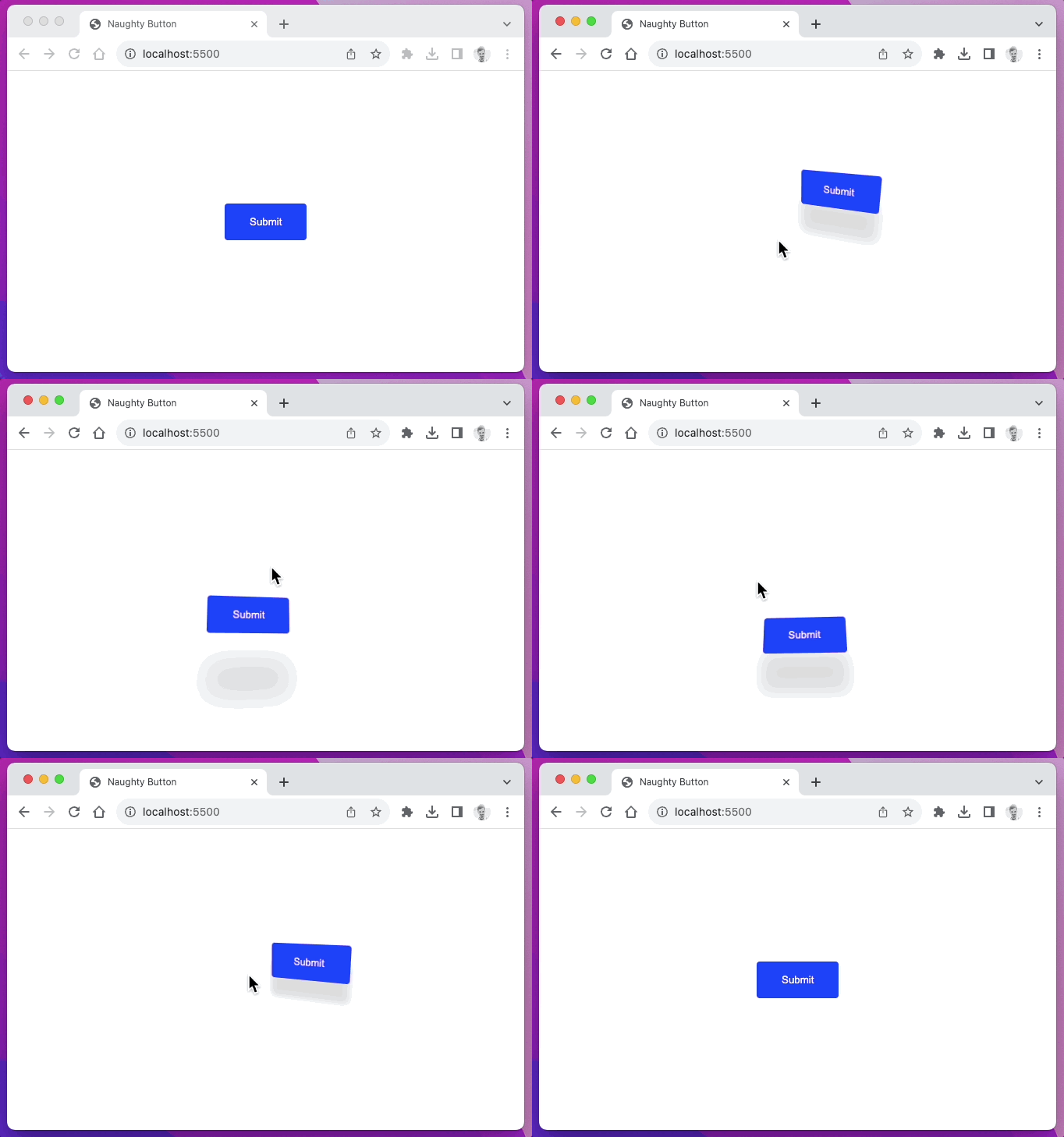
Click to zoom
Here's the most viral naughty button source code:
<! DOCTYPE html >
< html lang = " en " >
< head >
< meta charset = " UTF-8 " />
< meta name = " viewport " content = " width=device-width, initial-scale=1.0 " />
< title > Naughty Button </ title >
< style >
html ,
body {
width : 100 % ;
height : 100 % ;
display : flex ;
justify-content : center ;
align-items : center ;
}
button {
background-color : blue ;
border : none ;
color : #fff ;
padding : 1 rem 2 rem ;
border-radius : 4 px ;
transform-style : preserve-3 d ;
}
.button-wrapper {
perspective : 400 px ;
}
</ style >
</ head >
< body >
< div class = " button-wrapper " >
< button id = " button " > Submit </ button >
</ div >
< script >
const button = document . getElementById ( 'button' )
const distanceBetween = ( p1x , p1y , p2x , p2y ) => {
const dx = p1x - p2x
const dy = p1y - p2y
return Math . sqrt ( dx * dx + dy * dy )
}
const bx =
button . parentNode . offsetLeft +
button . offsetLeft +
button . offsetWidth / 2
const by =
button . parentNode . offsetTop + button . offsetTop + button . offsetHeight / 2
const radius = Math . max (
button . offsetWidth * 0.75 ,
button . offsetHeight * 0.75 ,
100 ,
)
document . addEventListener ( 'mousemove' , ( event ) => {
const dist = distanceBetween ( event . clientX , event . clientY , bx , by )
const angle = Math . atan2 ( event . clientY - by , event . clientX - bx )
const ox = - 1 * Math . cos ( angle ) * Math . max ( radius - dist , 0 )
const oy = - 1 * Math . sin ( angle ) * Math . max ( radius - dist , 0 )
const rx = oy / 2
const ry = - ox / 2
button . style . transition = 'all 0.1s ease'
button . style . transform = ` translate( ${ ox } px, ${ oy } px) rotateX( ${ rx } deg) rotateY( ${ ry } deg) `
button . style . boxShadow = ` 0px ${ Math . abs ( oy ) } px ${
( Math . abs ( oy ) / radius ) * 40
} px rgba(0,0,0,.15) `
} )
</ script >
</ body >
</ html >